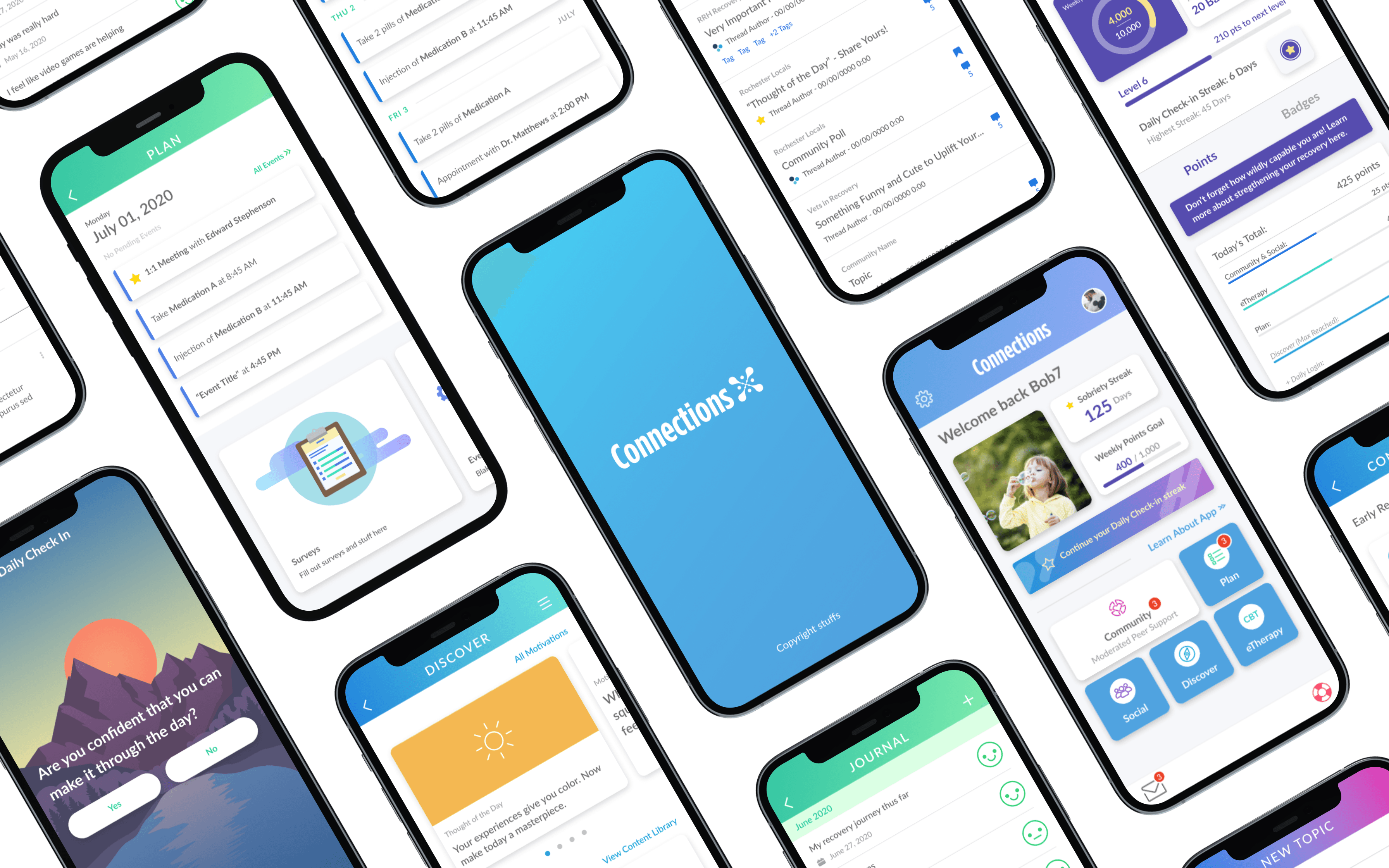
Inheriting a product users were giving up on
When I took over as the sole designer on Connections, the app had a problem that no amount of new features could fix: users didn't want to use it.
— anonymous Google user
— anonymous Google user
The feedback came from every direction simultaneously; App Store and Google Play reviews, internal analytics showing where users dropped off, stakeholder concerns about engagement, and product manager reports on underperforming features. Taken together the picture was clear: this wasn't a feature problem. It was a foundational design problem.
Before touching a single screen I spent time mapping the existing user flows, auditing the UI for consistency failures, and synthesizing the review themes into a prioritized list of problems to solve. That audit became the brief for everything that followed. The redesign needed to rebuild the product's relationship with its users from the ground up.
I also built the Connections design system from scratch before redesigning any feature in parallel with the work itself. Built on the visual identity developed for Envoy, the system defined tokens for color, spacing, and typography so changes could propagate across the product without requiring individual screen updates, and structured components to mirror how engineering implemented the product.
Design system in use
Redesigning the UX of an entire platform in 2 years
With the design system in place the redesign moved through the product feature by feature, each one informed by the original audit and designed to address the specific failures users had flagged.
Home Screen
The original home screen was a navigation surface and nothing more. Four large colored blocks, a sobriety streak at the top, no personalization, no progress visibility, no sense that the app knew who you were.
The redesign rebuilt it around three principles: surface what matters immediately, make it personal, and connect the dots. Sobriety streak, weekly points progress, and daily check-in prompt sit above the fold, each one tap to act on. A user-selected photo from their Motivations anchors the hero, making the home screen feel owned. Notification badges across the feature grid show live activity, tying the home screen directly into the gamification system beneath it.


Old homepage (left) and new homepage (right)
Outcome:
Average sobrietty streak for users went up by 15%
Community
The Community section was built net-new with no existing system to inherit. The result was a structured peer support space modeled on familiar social patterns: topic-based threads, comments, image posts, and reactions, organized into communities based on recovery context. Familiar enough to require no learning curve. Structured enough to keep vulnerable users safe.
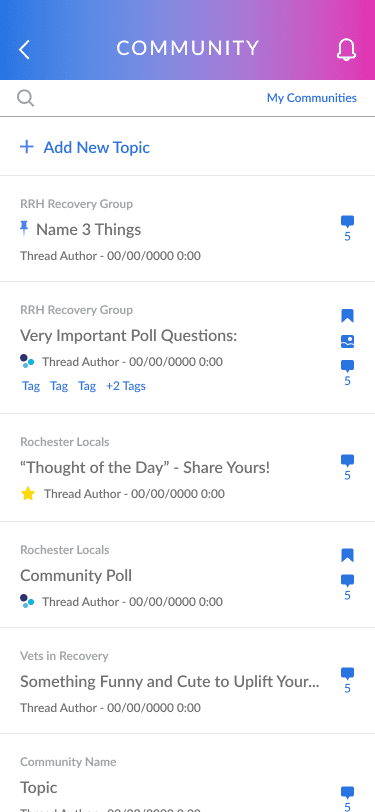
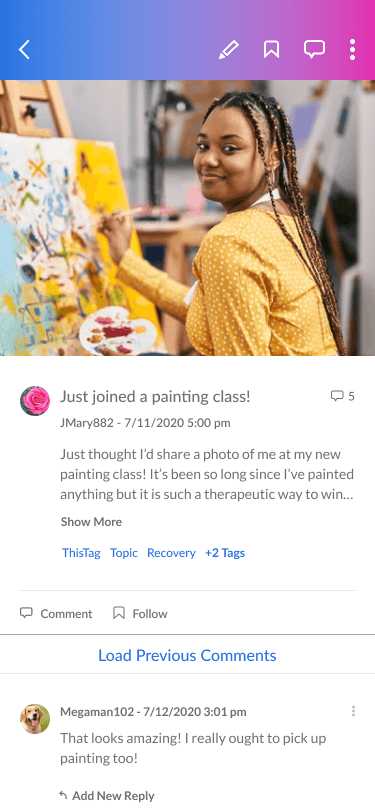
Community list (left) and post (right)
Designing a social system for this population meant thinking beyond the happy path. Every safety scenario was accounted for including a complete reporting and moderation flow, community settings and notification controls, topic creation and editing, community rules surfaced at the right moment, and a My Communities management view.
For users in active recovery, trust and safety weren't features. They were requirements.
Outcome:
The community system generated 10,000+ posts organically, a direct measure of whether users found the space worth contributing to.


Community reporting flow
Plan
The Plan section arrived with the most user baggage. Duplicate notifications, no event management, and an interface that added friction rather than reducing it weighed it down.
The redesign consolidated a user's full recovery schedule into a single chronological view built on four sub-systems: a calendar-based event manager with multiple card types and status states, a medication and reminder creation flow, a mood-tracked journal, and a comprehensive survey system supporting yes/no, scale, multiple choice, and text response formats.
Outcome:
25% increase in engagement with the plan section including journal entries, survey completions and events attended.
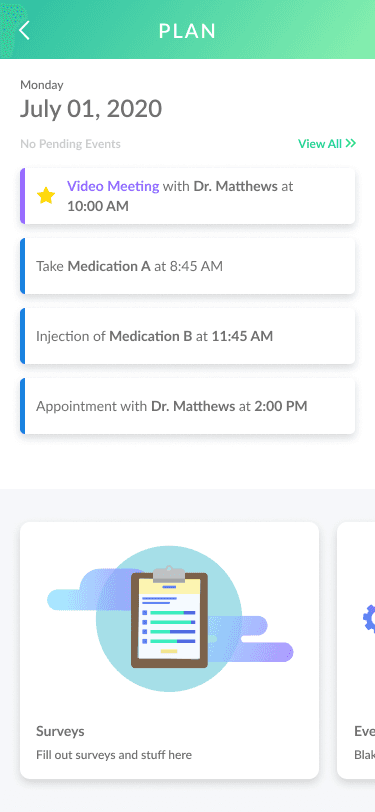


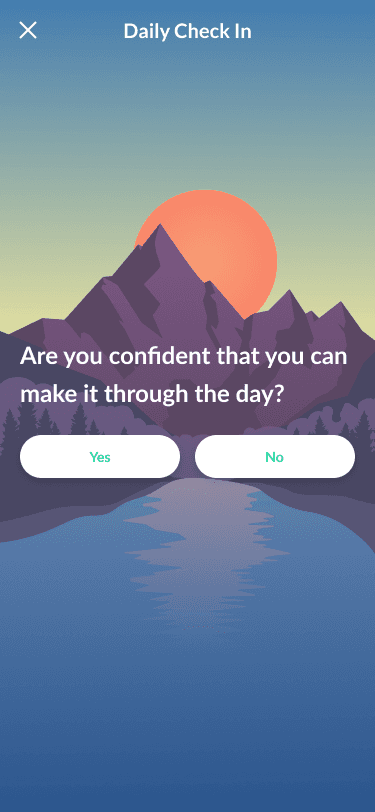
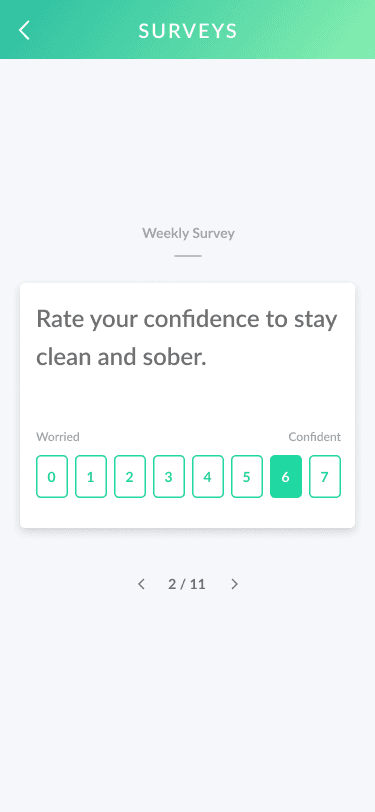

Plan redesigned screens
Discover
The original Discover section was three plain text labels on a white screen. A feature in name only.


Original discover page (left) and initial reskin (right)
The redesign replaced it with four systems working together: a Thought of the Day carousel giving users a daily reason to open the app, a My Motivations library where users uploaded their own meaningful content, a full Content Library with categories, favorites, and search, and a one-tap Support Locator surfacing nearby agencies and meetings at the moment a user was already in a mindset to seek help.
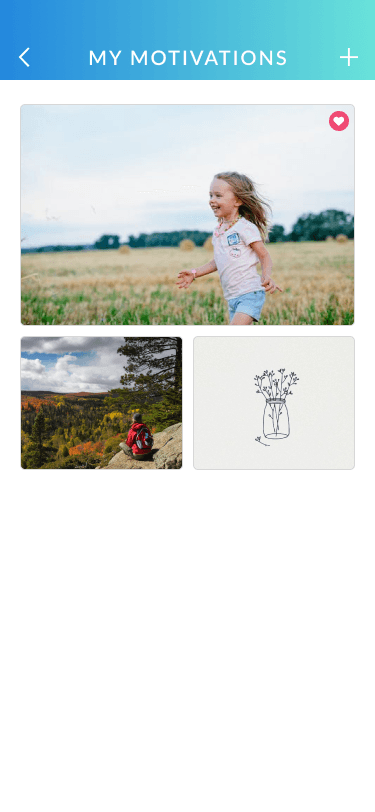

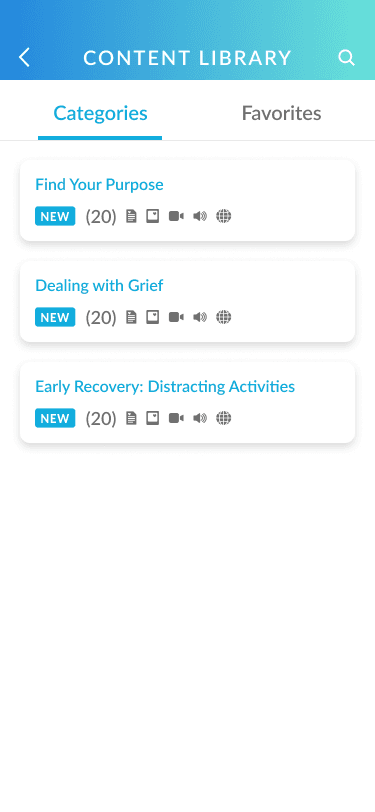
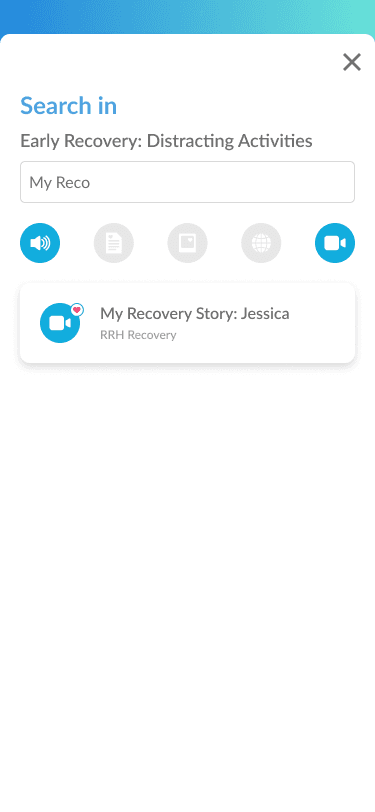
My motivations screens(left 2) and content library (right 2)
Designing a motivation system from scratch
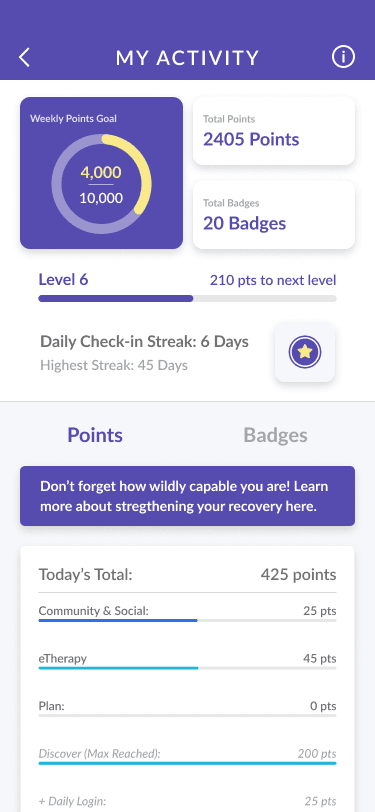
The most strategically significant feature I designed on Connections was the gamification system, built entirely from scratch with no existing framework to build on.
The insight that drove it came directly from user behavior: people were already tracking their sobriety streaks informally. That behavior was intrinsic motivation looking for a structure to attach to. Rather than inventing new motivations I designed a system that formalized and rewarded what users were already doing and extended that recognition across every meaningful action in the product.
The system was built around four interlocking mechanics.
A daily check-in streak rewarded consistency and ran as a connective thread through every part of the product.
A points system assigned value to every meaningful action: community engagement, eTherapy participation, Plan completion, Discover interactions. Each allocation was calibrated to encourage cross-section usage without feeling manipulative.
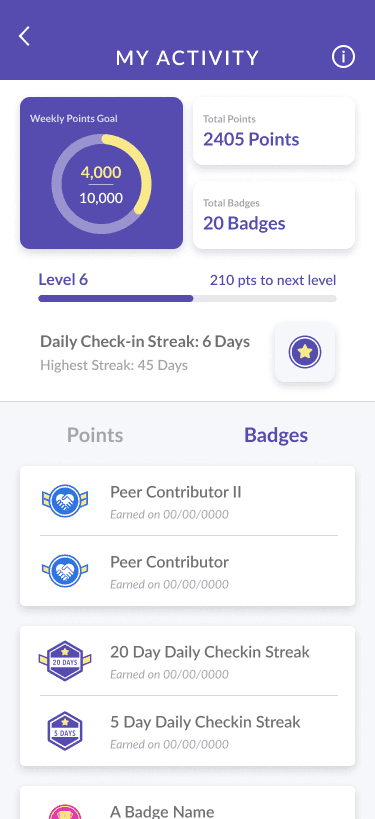
A badge system gave users tangible milestones to work toward, every badge designed and illustrated from scratch with a locked state communicating what was possible and an earned state worth sharing.
A leveling system provided the long-term progression arc that kept users engaged beyond the early milestone moments.


Journal entry flow
Every badge in the library was designed and illustrated from scratch. Peer Contributor tiers with increasing visual complexity, streak badges growing in ornamentation as day counts increased, eTherapy badges tied directly to lesson content. The badge wasn't just a reward, it was a communication design problem: how do you make an achievement feel meaningful to someone in recovery at the moment they earn it?

Gamification badges
Every achievement included a Share on your Social Wall option, a deliberate loop connecting personal milestones directly to the community. A user who shares an earned badge gives the community a reason to celebrate. A community that celebrates gives the next user a reason to keep going.
Outcome:
11% increase in cross-section interaction and engagement.
What the redesign actually changed
The reviews after the redesign tell a different story than the ones that greeted me when I inherited the product.
— Amy on the Google Play store
— Yep Cobb on Google Play store
— Suzoola on the Apple Store
— Anonymous Google user
Users described the product as something that made them feel seen, supported, and less alone at some of the hardest moments of their lives. That's the standard I was designing toward from day one.
What two years without a mentor taught me
I did this alone. No senior designer above me, no design director to gut-check decisions, no peer reviewers. Every call on a product used by 20,000+ people in recovery was mine to make and mine to own for two years straight.
That's a hard way to grow, but it built something no mentorship program could: the discipline to question your own certainty, the habit of treating confidence as a reason to slow down rather than speed up.
The people using Connections deserved a designer who took their recovery seriously every single day. I did, and I still do.
Note:
Additional design artifacts available upon request.